Getting onto it#
Three ways in: type the answers, put them on a stick, or bring them from the firewall you are replacing.
The installer#
The first screen, on the machine's own console
It says what it is and what it has not done yet, and it offers the three things you might have booted the medium for.
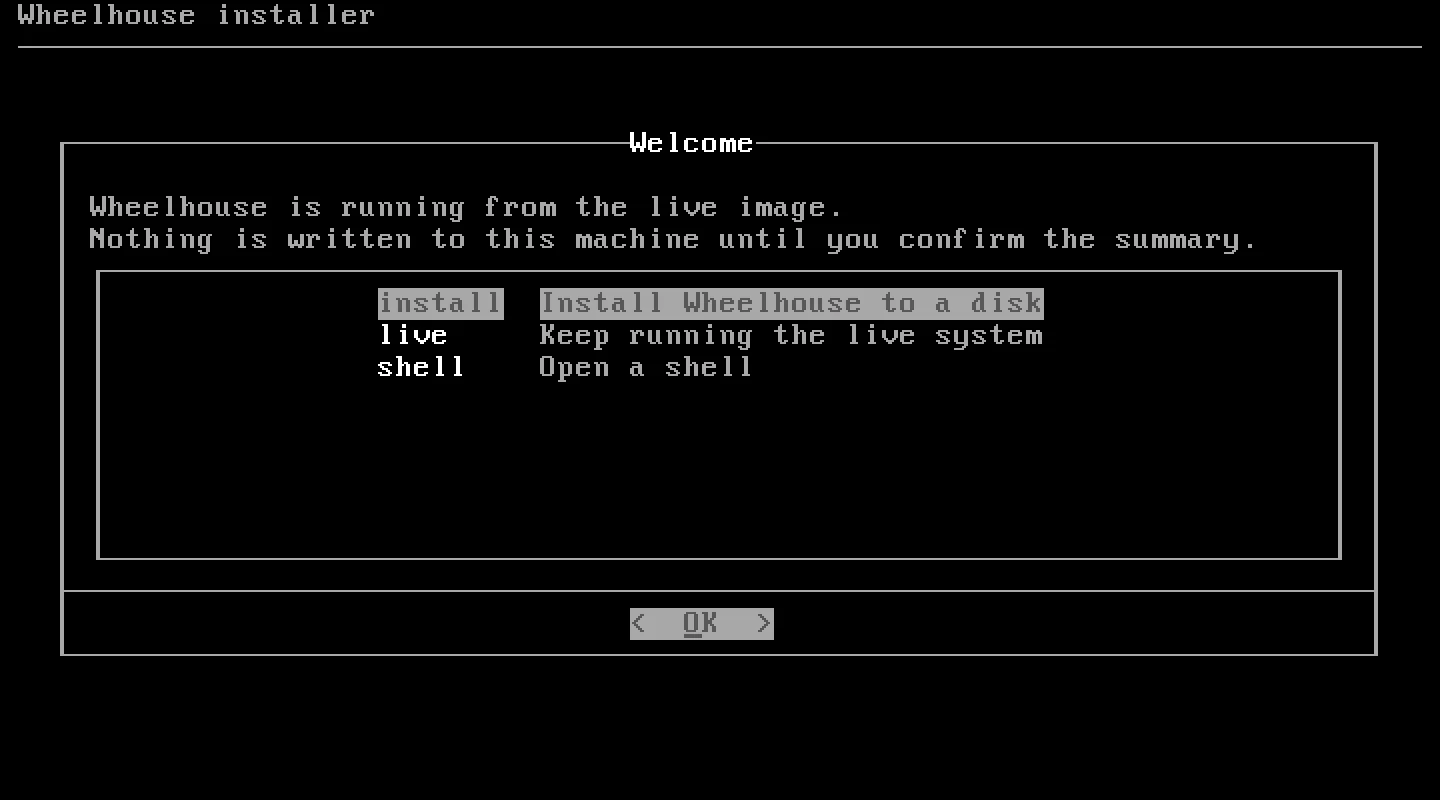
Boot the image and the first video console runs a dialog walk-through: the disk, a host
name, the time zone, the WAN and LAN interfaces (each skippable), a DHCP server, NAT, and
the two passwords — the web interface account and the console account. Each password is
typed twice and the installer says so when the entries differ.
Then it shows you the set commands your answers produce, before anything is written.
Only after you confirm does it commit them to the live configuration, drive VyOS' own
install image to write the disk, and reboot.
Two details that came from making mistakes on real hardware:
- The installer knows what it has already cost you. Its failure screens distinguish nothing has been written, the live configuration was committed, and the target disk has been repartitioned and is no longer what it was. A failure that cannot say which of those happened is worse than the failure.
- A serial console keeps its login prompt. The installer takes the first video
console only, and the banner on the serial console tells you how to start it there.
When
console=ttySis on the kernel command line, the installed system gets the serial console as its default, so a headless box stays reachable the way you installed it.
Every boot afterwards prints a banner above the login with the web interface URL on every addressed interface, how to sign in, and — until it is changed — the generated first-boot administrator password. It is redrawn every 20 seconds as addresses change.
You can print the commands for a set of answers without touching anything, which is how you check a seed before booting a machine with it:
wheelhouse-install --answers answers.conf --commandsInstalling with nobody at the keyboard#
Give the machine a seed — a cloud-config on a labelled filesystem, a URL on the kernel command line, or cloud-init's own NoCloud seed — and it installs itself.
#cloud-config
wheelhouse:
  disk: auto
  hostname: edge
  timezone: America/Los_Angeles
  wan:
    interface: eth1
    addressing: dhcp
  lan:
    interface: eth0
    address: 10.0.0.1/16
    dhcp_server: true
    firewall: true
    nat: true
  passwords:
    admin: "the web UI password"
    console: "the console password"   # sets both wheelhouse and vyos
  config:
    commands: config.commands
  reboot: true
The seed can carry a whole configuration, so a replacement box comes up with the addresses, forwards, reservations and firewall of the one it replaces.
Two safety properties. An unattended install runs at most once per boot, so a failure
cannot loop and erase the disk repeatedly. And a seed will not reinstall a machine that
is already installed unless it says overwrite: true, so a stick left plugged in does
not wipe the router next Tuesday.
wheelhouse-seed.py builds the medium.
Coming from OPNsense#
wheelhouse-opnsense-import reads an OPNsense config.xml and writes two things: VyOS
commands, and a report of what came across, what came across differently, and what could
not come at all.
What it handles: the host name and resolvers, interface addresses, static routes through named gateways, outbound NAT and every port forward with host and port aliases resolved, a default-drop firewall admitting exactly those forwards, the DHCP server with its pool and PXE handoff and reservations, DNS forwarding with its static hosts, and the WAN shaper.
The report names what came across, what came across differently, and what could not come at all — so nothing is dropped silently.
wheelhouse-opnsense-import config.xml --map lan=eth0,wan=eth1 --out ./migration/And the check that makes a migration verifiable:
wheelhouse-opnsense-import config.xml --check-against https://<router>:8443That compares a running router with the configuration it should have.
Read the old box, build the medium, plug it in, walk away
The seed builder goes from an OPNsense configuration to a bootable stick in one command, and the installer finds the seed and installs with nobody at the keyboard.
The importer's report is the part that is not automatic, and it is the part worth the time: it names what came across, what came across differently, and what could not come at all.
What has actually been done#
Installing to a disk in a VM and rebooting into the installed system: yes — keyboard-driven for 0.4.5, and unattended for 0.5.0 from a seed carrying a real router's 214-command configuration, which came back up with the LAN address, 20 DHCP reservations, the port forwards, Kea, CAKE and the agent running. The unattended path then broke for three releases, unnoticed because the image smoke test booted the live image and stopped there; it has been run again, to a booted machine, since the repair above.
Installing to a disk on physical hardware and rebooting into it: yes, on one physical machine, several times. It is where three installer bugs were found and fixed.
Read on#
- Hardware — sizing, drivers, and what is and is not known.
- Download — where the image is and how to verify it.
- The wiki: what each installer screen asks, unattended installs, migrating from OPNsense.
Install it in a VM first
Attach the ISO, give the machine two NICs and a disk, and answer the questions. If you are coming from OPNsense, run the importer before you touch the new box.