Add-ons that are configuration#
An add-on is a container declared in the router's configuration tree, not a package with a lifecycle of its own.
What that means#
An install is a diff you review before it happens, a commit you can roll back like any
other revision, and state that survives an image upgrade, because /config is the
persistent partition.
Stopping an app stages set container name <x> disable. Starting it deletes that node.
Uninstalling deletes the subtree. Volumes under /config are not removed on uninstall,
so a reinstall picks up where it left off.
The catalogue#
40 entries, embedded in the agent binary: 37 containers and 3 built-in feature modules, across six categories — DNS and filtering, VPN and remote access, Monitoring, Security, Network services, Management. Every container image is verified against its registry out of band.
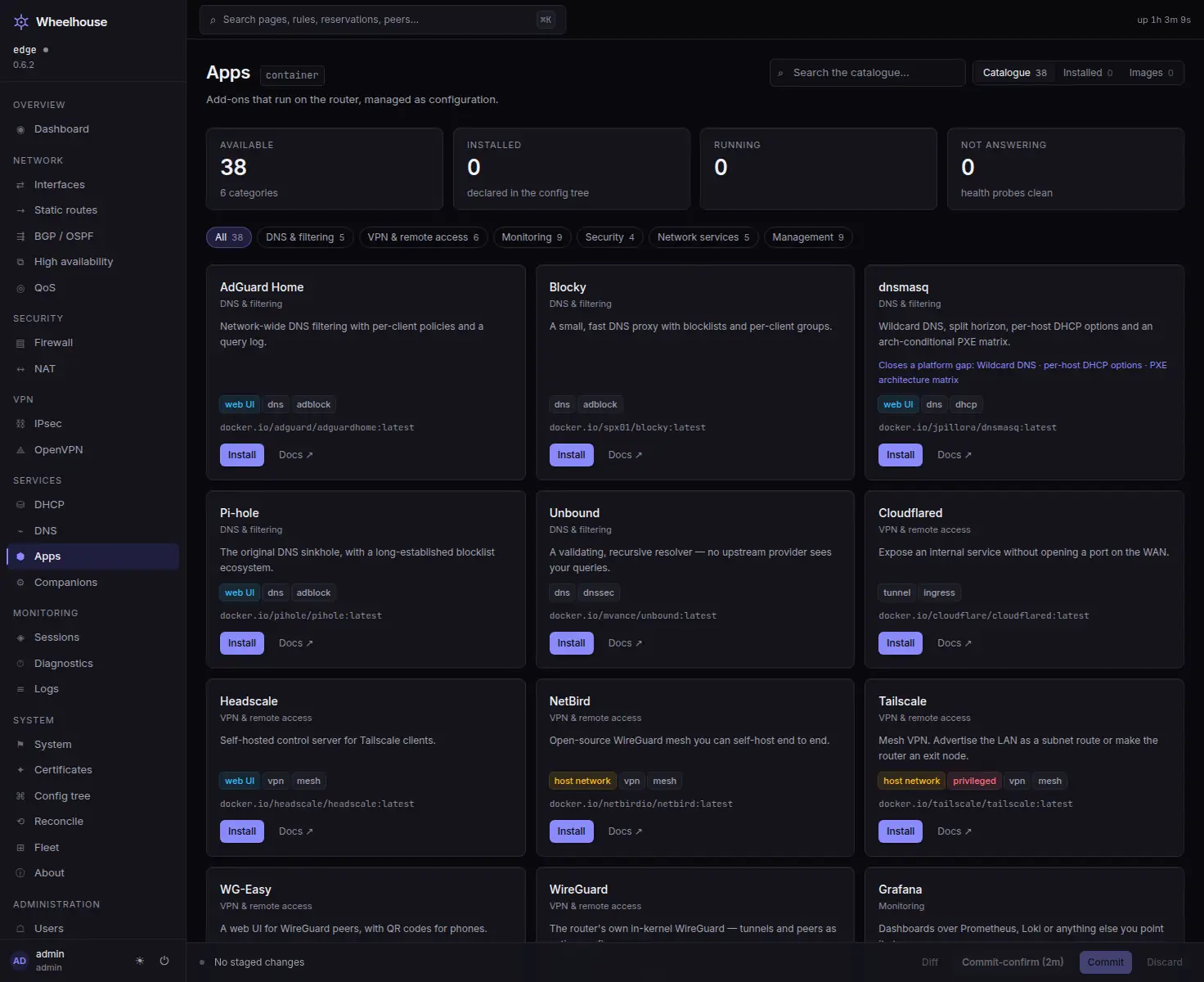
Installing is three steps, and only one is configuration#
VyOS validates a container at commit time and rejects it if either prerequisite is missing, so both happen before the working diff exists:
| Step | What happens | Why it is separate |
|---|---|---|
| 1 · Directories | mkdir -p for each volume source | VyOS refuses a volume whose source path does not exist |
| 2 · Pull | add container image <ref> | VyOS refuses an image that is not local |
| 3 · Stage | set container name … into the Commit Bar | This is the only part that is configuration |
Step 1 works only when the agent is on the router. From another machine it has no access
to the router's filesystem, so it says so, and Advanced mode gives the exact mkdir -p
line to run there.
What makes it a plugin rather than a container#
Each entry declares what the interface should do once the app is running:
- A left-navigation entry of its own, with a dot when the app is declared but not running.
- An Open link built from the container's real address.
- A health probe that is TCP, plus an HTTP request when the entry gives a path. Never an app-specific API call.
- Hints: an offer surfaced on another page, with the app's real address substituted and the exact operations attached. Install AdGuard Home and the DNS page grows a card offering to point the resolver at it, with one click to stage the change.
Anything router-specific in a hint is a placeholder filled in from the router the hint is offered on; the catalogue itself never names a network or a domain. A router that cannot fill a placeholder gets the advice without the commands, and the card says what is missing.
Hints stage. They never apply. The Commit Bar is still the only thing that commits.
Feature modules#
Two entries have kind: "builtin": they gate a native page instead of running a
container. WireGuard and the Suricata IDS work this way, which is how a page can be
absent from a router that does not use it and one click away on one that does.
Configuration outranks the flag: a feature configured on the router shows its page
regardless.
Limits#
There is no per-app dashboard. What an app's card can carry is one number: where a catalogue entry declares a stats URL and a path to a single number in the JSON it answers with, the card shows that number and how old the reading is. Two entries declare one. Anything beyond that would mean a client for the app's own API and, usually, that app's credentials — which Wheelhouse does not hold and the health probe never uses.
dnsmasq, and the UPnP gap#
dnsmasq is in the catalogue because VyOS cannot express wildcard DNS records, per-host DHCP option overrides, or an architecture-conditional PXE boot file. The entry is labelled as such. UPnP is not a container: the miniupnpd entry was removed when registry verification showed the reference did not exist and every published alternative was an unaudited personal build — not acceptable for a privileged host-network daemon.
Nor is it a platform feature waiting to be switched on. The base has no service upnp
configuration node and no miniupnpd package. So the agent answers UPnP and NAT-PMP itself,
and UPnP / NAT-PMP in the catalogue is a built-in feature module rather than an app.
Each mapping is a port forward and a firewall rule, applied like any other change; UPnP is
off until an administrator turns it on, and it opens IPv4 ports only.
Read on#
- The wiki: apps are configuration and the catalogue reference.
Install one and read the diff
An app is a set container name … subtree. The install is a working set you review before
anything runs on the router.